
Guides/Your books
Languages Readio reads
Readio reads each book in the language it is written in.
Works oniPhoneAndroidChrome
The six languages
English, Spanish, French, German, Italian and Portuguese. Readio uses the language the book states, so you do not set anything: open a French book and it is read in French.
In Chrome, Chinese and Japanese books work too, as an early version. There are no Chinese or Japanese voices yet, so a multilingual voice reads them. The first time, the player says “Loading the Chinese and Japanese pictures…” for a moment before it starts.
A book read in the wrong language
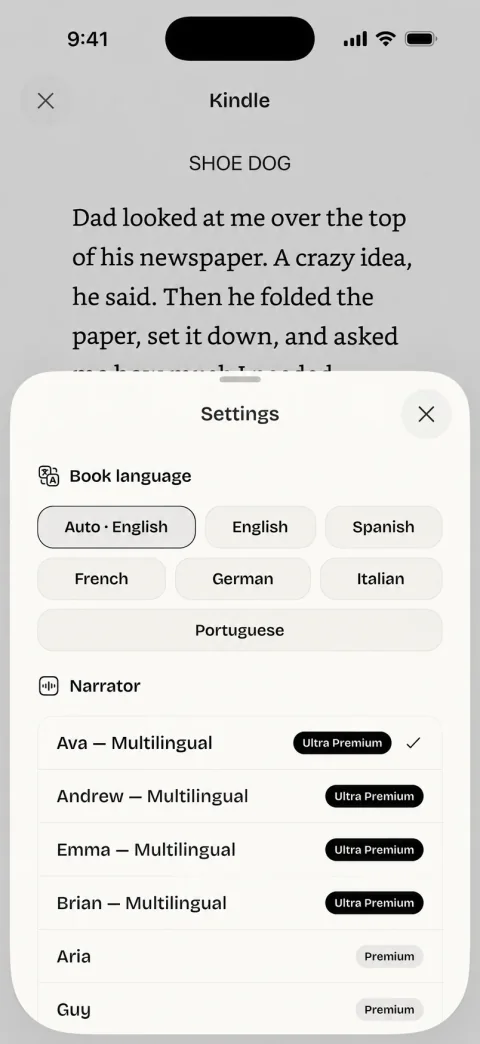
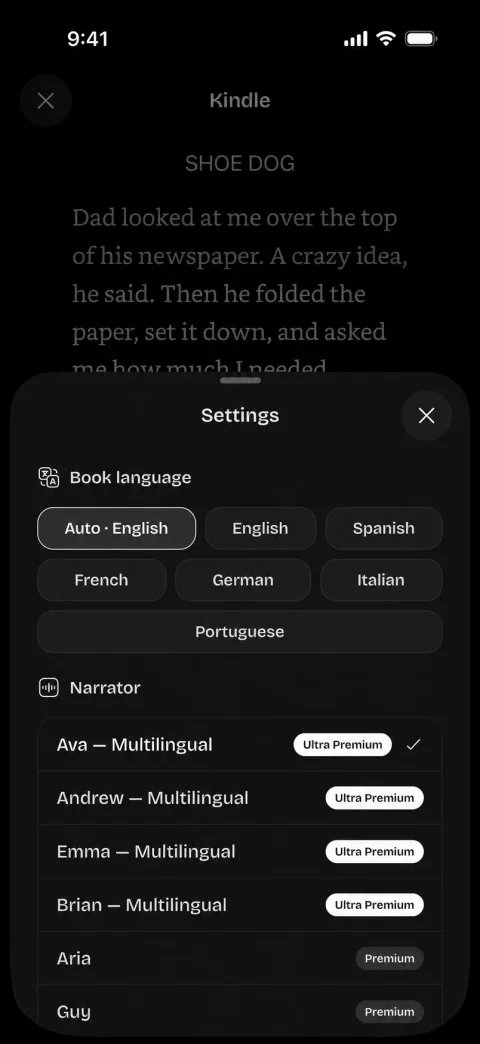
On the phone, tap the voice icon in the player and choose the language under Book language. The choices are English, Spanish, French, German, Italian and Portuguese. Readio remembers the choice for that book.
Auto goes back to the language the book states. When Readio knows it, the chip shows it, for example Auto · French.
The Chrome extension has no such setting. It always uses the language the book states.
Voices for each language
Readio Pro has 40+ voices, the same on the phone and in Chrome, grouped by language:
- American English: Ava, Andrew, Emma, Brian, Davis, Jenny, Adam, Christopher, Lola, Samuel, Serena, Cora, Steffan, Amanda, Aria and Guy.
- British English: Ada, Ollie, Sonia and Ryan.
- Australian English: William and Natasha.
- German: Seraphina, Florian, Katja and Conrad.
- French: Vivienne, Rémy, Denise and Henri.
- Spanish: Arabella, Tristán, Elvira and Álvaro.
- Italian: Isabella, Giuseppe, Elsa and Diego.
- Portuguese (Brazil): Thalita, Macerio, Francisca and Antonio.
In Chrome, click the face in the player to see the voices for your book. The list follows the book. For an English book you see the three English groups. For a book in another language you see that language’s voices first, then a group called Any language: the 17 multilingual English voices, which read the book in its own language. If the voice you picked does not fit a book, Readio reads that book with the first voice that does and keeps your pick for the next book it fits.
Each voice has a sample you can hear before you pick it. Choose a voice and speed has the steps.
Without a plan in Chrome
A free Readio account listens with your computer’s own voice, so the language depends on the voices your computer has. If it has none for the book’s language, the player says “This computer has no voice for the book’s language. Readio Pro reads it.” See Pricing.
Questions
Yes. Readio reads a Spanish Kindle book in Spanish. Arabella, Tristán, Elvira and Álvaro are Spanish voices, and the multilingual voices such as Ava and Andrew read Spanish too.
English, Spanish, French, German, Italian and Portuguese, on iPhone, Android and in Chrome. Chinese and Japanese books work in Chrome only, as an early version.
Readio uses the language the book states, and a book can state the wrong one. On the phone, tap the voice icon in the player and choose the language under Book language.
In the Chrome extension, yes, as an early version. There are no Chinese or Japanese voices yet, so one of the multilingual voices reads them. The phone app does not read them yet.
No. Readio reads the text of the book as it is written, in the book’s own language.