
Guides/Listening
Use the sleep timer
Stop reading after a set time, so you can fall asleep to a book.
Works oniPhoneAndroid
Set the timer
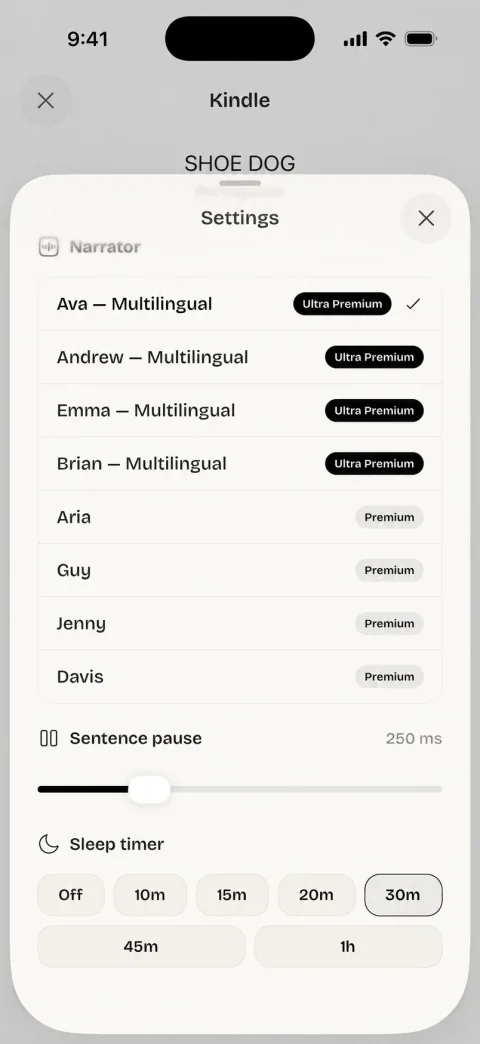
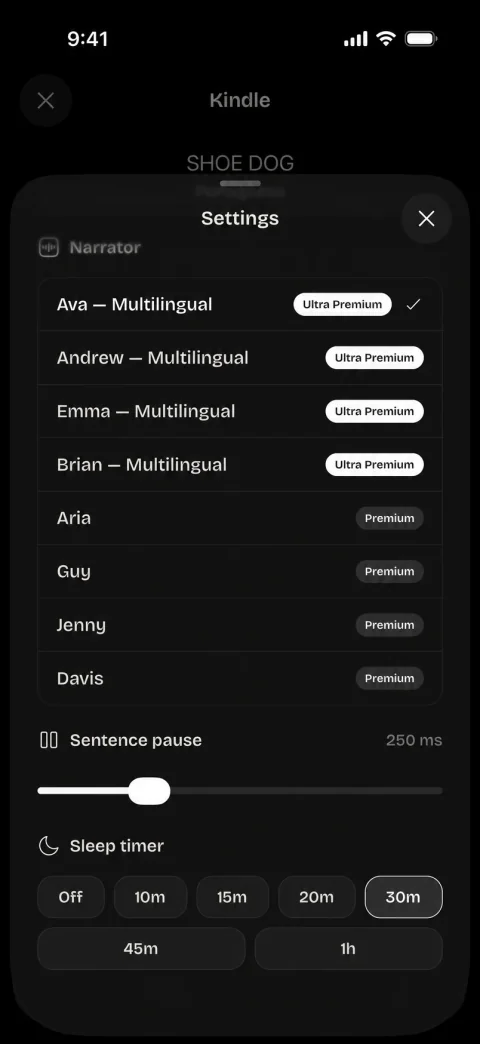
- In a book, tap the voice icon at the left of the player. The Settings sheet opens.
- Scroll to Sleep timer and choose 10m, 15m, 20m, 30m, 45m or 1h.
- Close the sheet and press play. You can lock the phone: the timer works with the screen off.
A moon with the time you chose, for example 30m, shows in the player between the two clocks. It marks that a timer is set. It does not count down.
When the time is up
Readio pauses. The stop is sudden: the voice does not fade, and it does not wait for the end of the sentence or the chapter. The book stays open at the place it reached, so play starts from there.
The time runs by the clock from the moment you choose it. Pausing the book does not hold it back.
Start the timer again
The timer runs once. After it ends, the moon stays in the player, but no new timer is running. To set one for another stretch:
- Open the Settings sheet again.
- Under Sleep timer, tap Off, then the time you want. Tapping a different time works too.
- Press play.
Choosing a new time while a timer runs starts the count again from that moment.
Stop the timer
Open the same sheet and choose Off. The moon leaves the player.
What Readio does not keep
Readio forgets the timer when you close the app, so a timer from last night never stops a book the next morning. Set it each night.
While the app stays open, the timer you set stays chosen. Open another book, or the same one again, and the count starts again in full.
Your voice and speed are kept between launches. Only the sleep timer starts fresh.
Questions
You can choose 10m, 15m, 20m, 30m, 45m or 1h. There is no custom time.
No. It goes by the clock: when the time is up, Readio pauses where the voice is, also in the middle of a sentence.
Yes. The time runs from the moment you choose it, whether the book plays or not.
Readio stays paused at the place it reached. Turn back to the last page you remember and press play: Readio reads from the page on screen.
No. The sleep timer is in the iPhone and Android apps only.